
As we have seen in a previous post, Gaussian splatting is a 3D digital reconstruction and rendering technique that uses millions of tiny, soft, overlapping 3D shapes called Gaussians to recreate real-world scenes with photorealistic detail and real-time viewing speeds.
In this post, we will learn how to add a Gaussian Splatting inside a Unity project.
Setting up Gaussian Splatting in Unity#
To bring .ply or .spz splat datasets into Unity, we use UnityGaussianSplatting.
For that we will clone the repository to a local drive:
git clone https://github.com/graphdeco-inria/gaussian-splatting --recursive- In the Unity Hub, click Add and navigate to
UnityGaussianSplatting/projects/. - Select
GaussianExample-URP. - Make sure the Unity version is Unity 6, and open the project.
Converting a .ply file into a GameObject#
Unity supports .ply file, so the process is very simple.
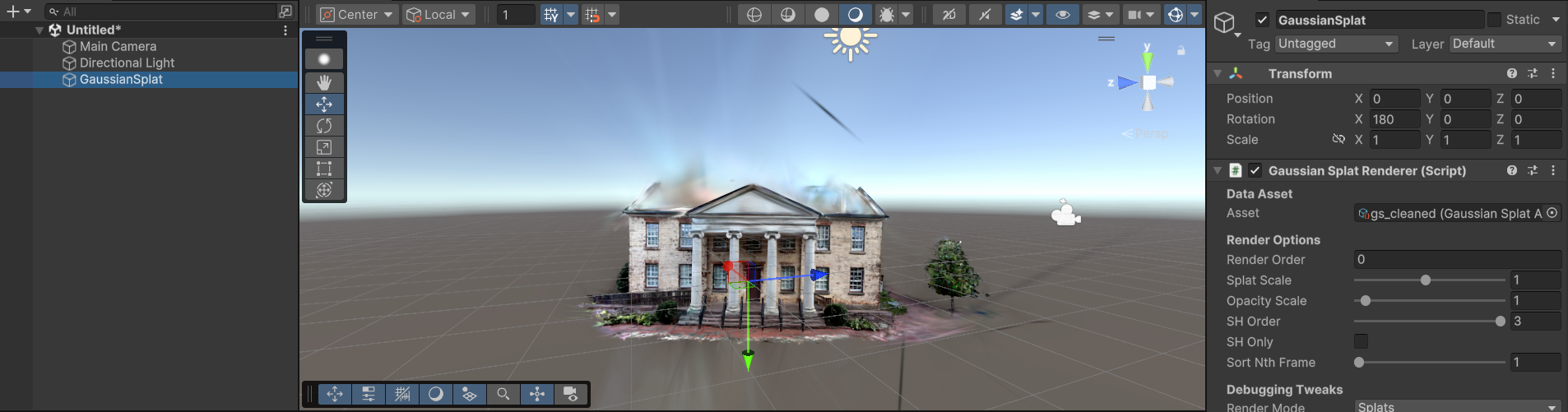
- In your Scene Hierarchy, right-click and select Create Empty.
- With the GameObject selected, click Add Component in the Inspector and add
GaussianSplatRenderer. - Drag your generated point_cloud asset from the Project window into the Asset slot on the
GaussianSplatRenderer.
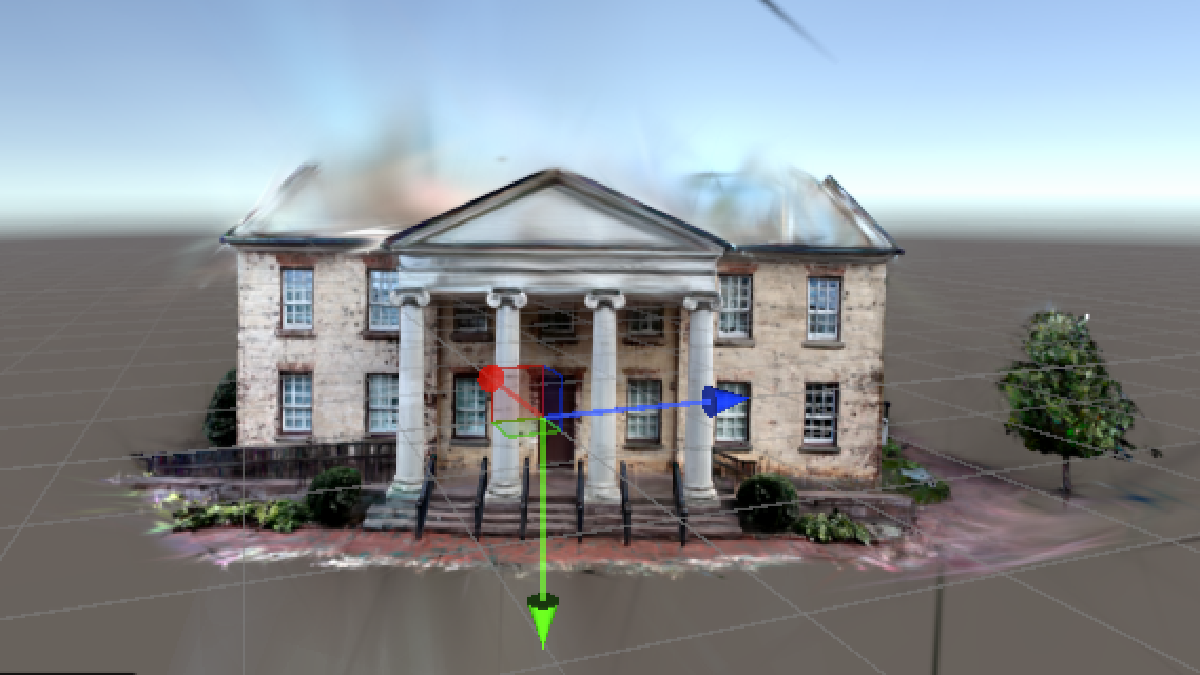
The Gaussian scene will immediately appear in your Scene and Game views, and can now be used like any GameObject.